Type Sinhala in any app
Type perfectly in Sinhala across Word, Photoshop, Illustrator, CorelDraw, Premiere Pro, and more without lag or copy-paste.
Keyshepherd
KeyShepherd lets you type freely in the Wijesekara keyboard layout. And here's the thing most tools miss: it works perfectly whether you're typing in Wijesekara or Isiwara font layouts. No workarounds, no broken characters, just clean Sinhala text every time. Set up shortcuts for the phrases you type over and over. Drop icons wherever you need them. And do all of this without your PC breaking a sweat.
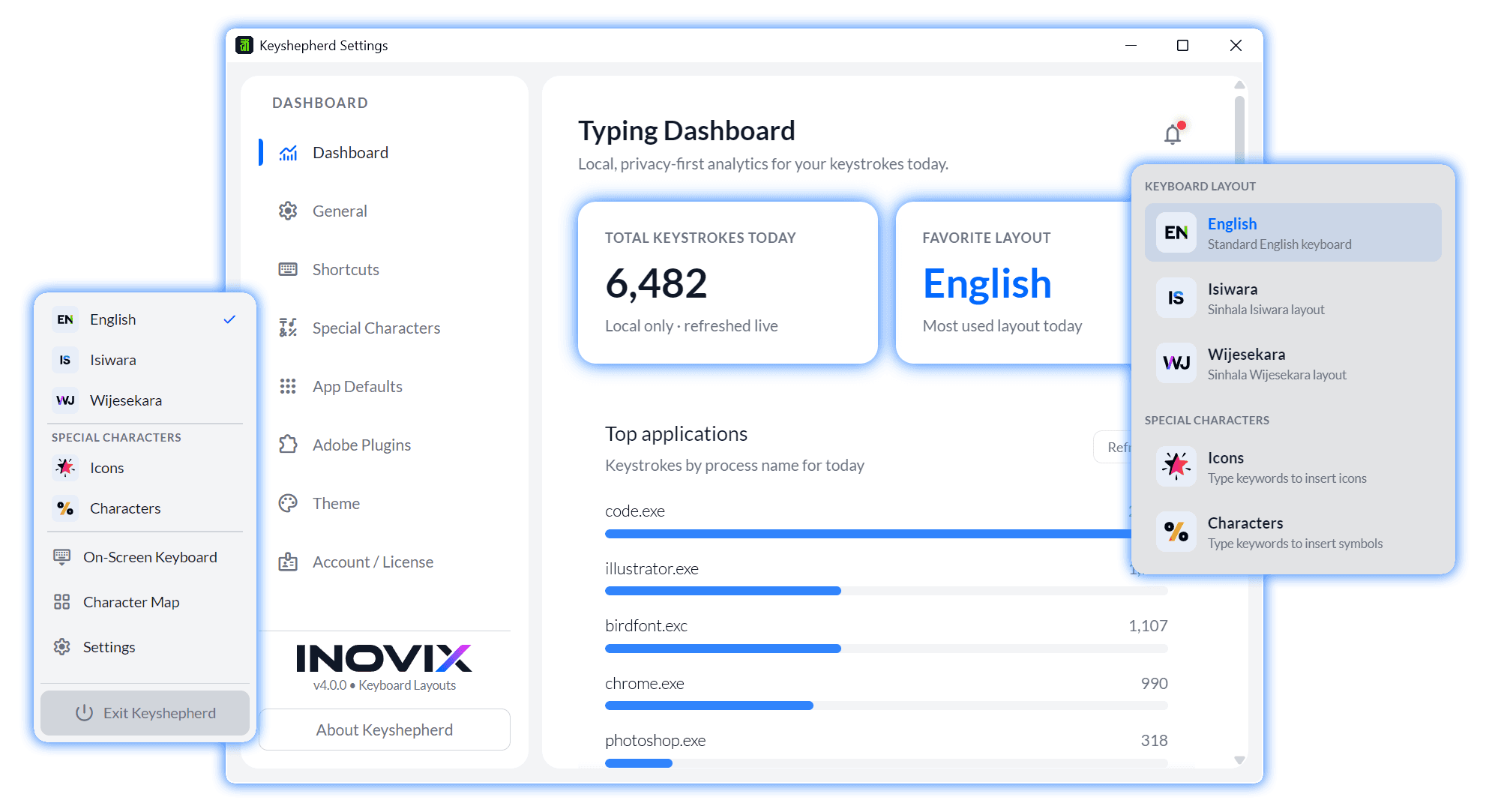
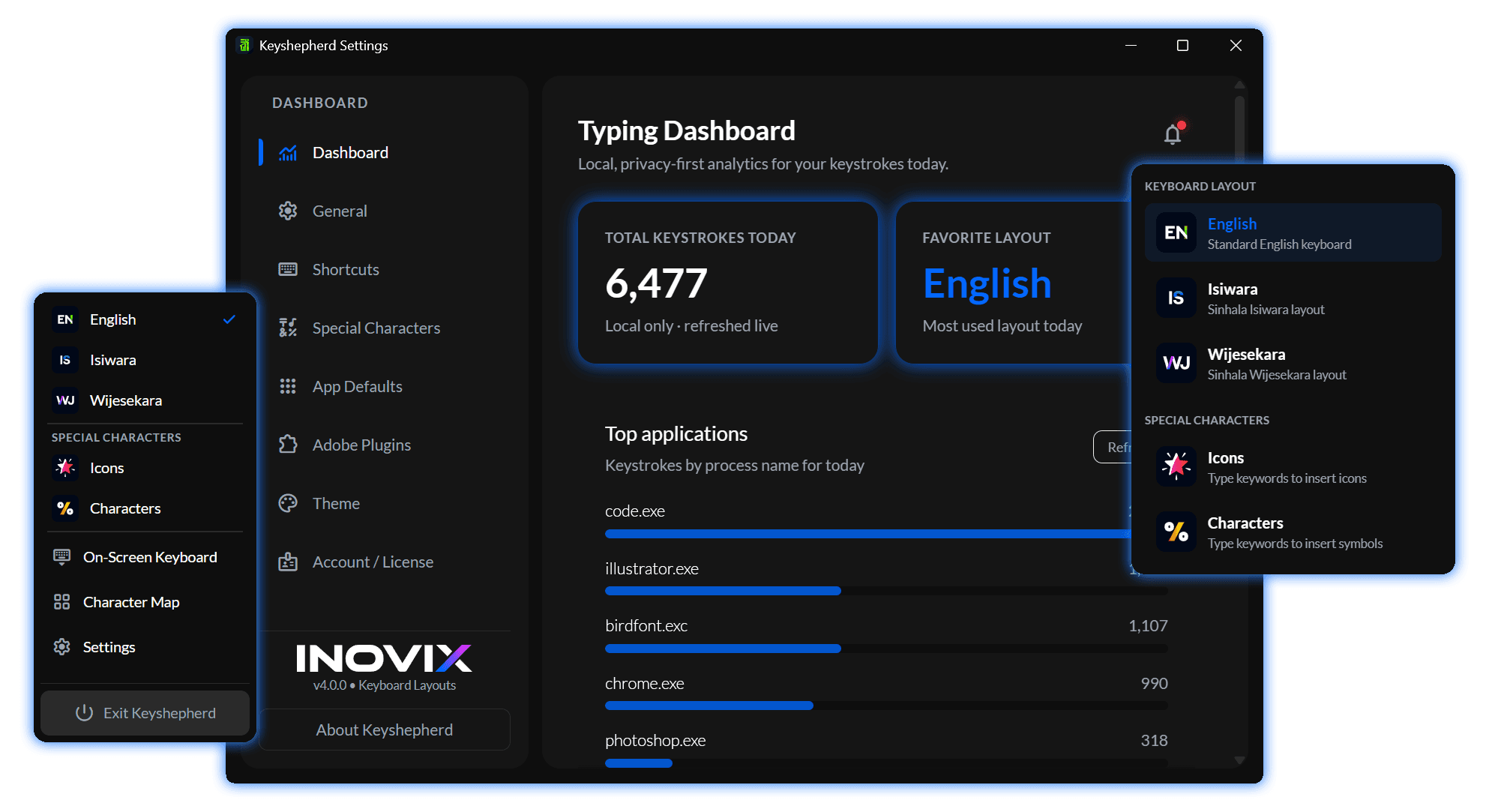
Everything you need to type faster, quietly in the background.
Exclusive
Keyshepherd is the only app that lets you type the Isiwara layout in real time — no paste hacks or delayed conversion.
Exclusive
The only Sinhala ASCII fonts typing tool available for macOS — the same Wijesekara / Isiwara workflow as Windows.
Type perfectly in Sinhala across Word, Photoshop, Illustrator, CorelDraw, Premiere Pro, and more without lag or copy-paste.
Remembers the language for each app. Type English in Photoshop and Sinhala in Word automatically.
Type short codes like [myname] and expand them into full phrases instantly.
Type [call], [star], and more in the Icons layout. ShepGlyphs renders the icons perfectly.
Select an icon and apply ShepGlyphs right inside Photoshop, Illustrator, or InDesign.
See your active layout clearly and switch languages with a quick keyboard shortcut.
Supports both Isiwara and Wijesekara layouts. Accurately converts over 740+ special combined Unicode characters for flawless typing.
Speak and let Keyshepherd type. Experience seamless Speech-to-Text with highly stable background focus injection.
Extract Sinhala and English text from any screen or image with fully searchable system font selection.
Copy OCR extractions and snippets directly into MS Word or Adobe apps while preserving font styles perfectly.
Your shortcuts and settings stay safely backed up across all your licensed computers.
Runs quietly in the background so your computer stays fast and smooth.
Core Wijesekara typing is included in the trial. Premium unlocks unlimited power across devices.
Straight answers about Keyshepherd, licenses, and Sinhala typing.
Keyshepherd runs in the background and types Sinhala in real time—no paste hacks. It remembers the language per app (for example Sinhala in Word, English in Photoshop), fixes broken ligatures as you type, expands text shortcuts, and on Premium adds voice typing, OCR, the Icons layout, and ShepGlyphs for Adobe.
Both Wijesekara and Isiwara. Keyshepherd accurately converts 740+ special combined Unicode characters so ligatures like මි, ළු, and දු render correctly in ASCII and Unicode workflows on Windows and Mac.
It's like magic for repetitive typing! You can save long paragraphs, email templates, or complex Sinhala phrases. Just type a short code you define (like [myemail] or [address]), and Keyshepherd instantly expands it into the full text anywhere you type.
Yes. Premium includes advanced voice typing (speech-to-text with stable background focus injection) and an enhanced OCR reader that extracts Sinhala and English text from the screen or images, with searchable system font selection and rich-text clipboard paste into Word and Adobe apps.
Premium unlocks the Icons layout and an Adobe CEP panel for Photoshop, Illustrator, and InDesign. Type an icon shortcut such as [call], select the character, then click Apply ShepGlyphs in Window → Extensions → Keyshepherd. The panel applies the ShepGlyphs icon font; it does not fix Sinhala ligatures.
No. Core typing, auto-switching, snippets, and most features run locally for privacy and low latency. You need the internet to sign in, sync your license, manage devices on the dashboard, and check for updates.
No. Your license is linked to your Keyshepherd account. One Premium license covers your allowed devices across Windows and Mac. Trial, Free, Monthly, and Yearly plans allow up to 2 devices; Lifetime allows up to 3. Reset devices anytime at keyshepherd.inovix.dev/dashboard.
Open System Settings → Privacy & Security → Accessibility and turn on Keyshepherd, then do the same under Input Monitoring. Do not use the Accessibility page that lists VoiceOver and Display — Keyshepherd never appears there. Add /Applications/Keyshepherd.app if it is missing, quit the app fully, and open it again from Applications.
No. Keyshepherd does not distribute third-party font collections such as FM Fonts or Isiwara fonts. It is a typing tool for fonts you already have installed. ShepGlyphs is our own proprietary icon font and ships with the app for Premium icon typing.
After a free trial, Premium unlocks unlimited Voice Typing, OCR tools, custom themes, Icons and Characters layouts, ShepGlyphs, the Adobe Apply ShepGlyphs panel, and cloud license sync. Device limits: 2 for Monthly/Yearly, 3 for Lifetime. When the trial ends you can continue on Free Mode with daily session limits, or upgrade anytime.
Hi! As someone who constantly types in Sinhala, I was frustrated by how clunky and outdated existing tools were. Nothing felt truly modern or integrated seamlessly into my workflow.
That's why I built Keyshepherd to bring Sinhala typing into the modern era with a fast, beautiful, and effortless experience. Every feature you see is crafted from real frustrations to make your daily work easier and more productive.